Computer Science in Action
Project-Based Learning-
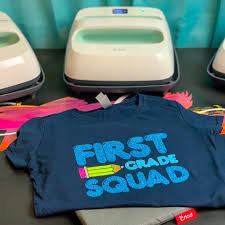
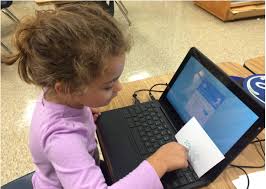
Students are diving into an exciting project where they create surveys using Google Forms, gather and analyze data, and design custom class T-shirts. This hands-on activity keeps students engaged as they actively participate in every step of the process, from brainstorming to bringing their ideas to life.
Traditional CS Teaching: Kindergarten - 8th grade 10 Hours of Field Experience
TYPING.COM
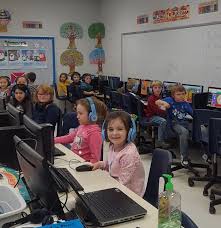
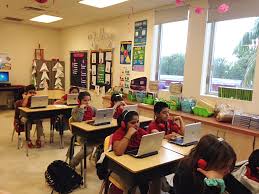
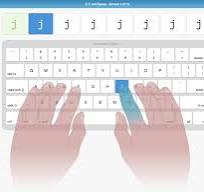
Typing.com is a great tool that helps students build essential keyboarding skills. Students type for the first 5-10 minutes of each class to improve typing accuracy and speed. K-8th grade students use this program.
Students Record Typing Speeds and Accuracy on a shared google sheet
Students have shown growth over time.
| Name/Date | 9/3 | 9/10 | 9/17 | 9/24 | 10/1 | 10/8 | 10/15 | 10/29 | 11/5 | 11/12 | 11/19 | |
| 1 | Jason | 20/100 | 21/100 | 23/100 | 17/93 | 18/97 | 25/98 | 25/98 | 25/100 | 26/100 | 27100 | 30/100 |
| 2 | Samuel | 18/100 | 15/97 | 21/95 | 22/97 | 22/95 | 23/96 | 21/97 | 22/98 | 23/100 | SICK | 21/99 |
| 3 | Mack | 29/97 | 29/98 | 33/99 | 36/99 | 33/97 | 36/99 | SICK | 35/99 | Sick | 37/98 | 37/100 |
| 4 | Phoebe | 22/100 | 25/100 | 26/100 | 26/100 | 28/100 | 30/100 | 303030 | 29/100 | 28/100 | 30/100 | 31/100 |
Kindergarten - 1st Grade CS Skills
K-1st grade students work on foundational computer skills which help to build confidence and familiarity with technology. K-1st grade CS skills
Some Basic K-1st grade Skills Include:
Mouse Skills – using the track pad, basic clicking and dragging skills
Introduction to Google Docs and Google Drive – exploring the tools, learning about the waffle, changing font size, font color, adding images, docs, and more
Digital Citizenship
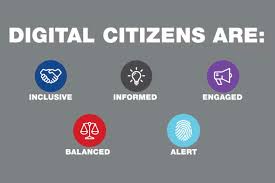
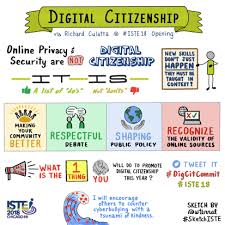
There are many great digital citizenship lessons to address important topics and prepare students to take ownership of their digital lives. Students from grades Kindergarten through 8th grade learn how to be safe while online.
10 HOURS OF FIELD EXPERIENCE
TEACHER ACTIONS/STANDARDS
❏ Models continuous learning of CS content: 3b
❏ Use language that reinforces all students are capable of succeeding in CS: 3d
❏ Models continuous learning and collaboration (e.g., showcases own projects): 3b, 3e, 3f
❏ Uses multiple ways to represent content, including relevant analogies and illustrations: 4c, 4f
❏ Provides a variety of means to express ideas and engage in content: 4c
❏ Differentiates lessons while maintaining comparable content and level of rigor: 3d, 4c, 4f
❏ Explicitly teaches design patterns (e.g., subgoal labeling) and debugging strategies: 4f
❏ Proactively addresses misconceptions: 4f
❏ Explicitly introduces and reinforces norms for collaborating: 5d, 4f
❏ Provides scaffolds and feedback to support students’ productive discourse aligned to lesson objectives: 5e, 4f, 5f, 4b
❏ Develops students’ ability to interpret and use feedback from computers, teachers, peers, and community: 5f
❏ Models metacognitive strategies when confronted with challenges: 5c, 4f